

Product tour
See the portal your agents would use
Real screens from a running portal — not mockups. This is a demo agency's own branded portal, which is what yours would look like with your logo, your colours, your currency and your inventory in it.
249
countries in the taxonomy
Sell a product located anywhere, not only where a supplier operates.
438,919
cities with real coordinates
Destination search, service dates and time zones come from these.
3
inventory verticals
Hotels, tours & attractions, transfers — each with its own engine.
10
portal templates
Named for the travel segment that buys them, not for a design style.
What your agents see
A storefront, not an admin screen
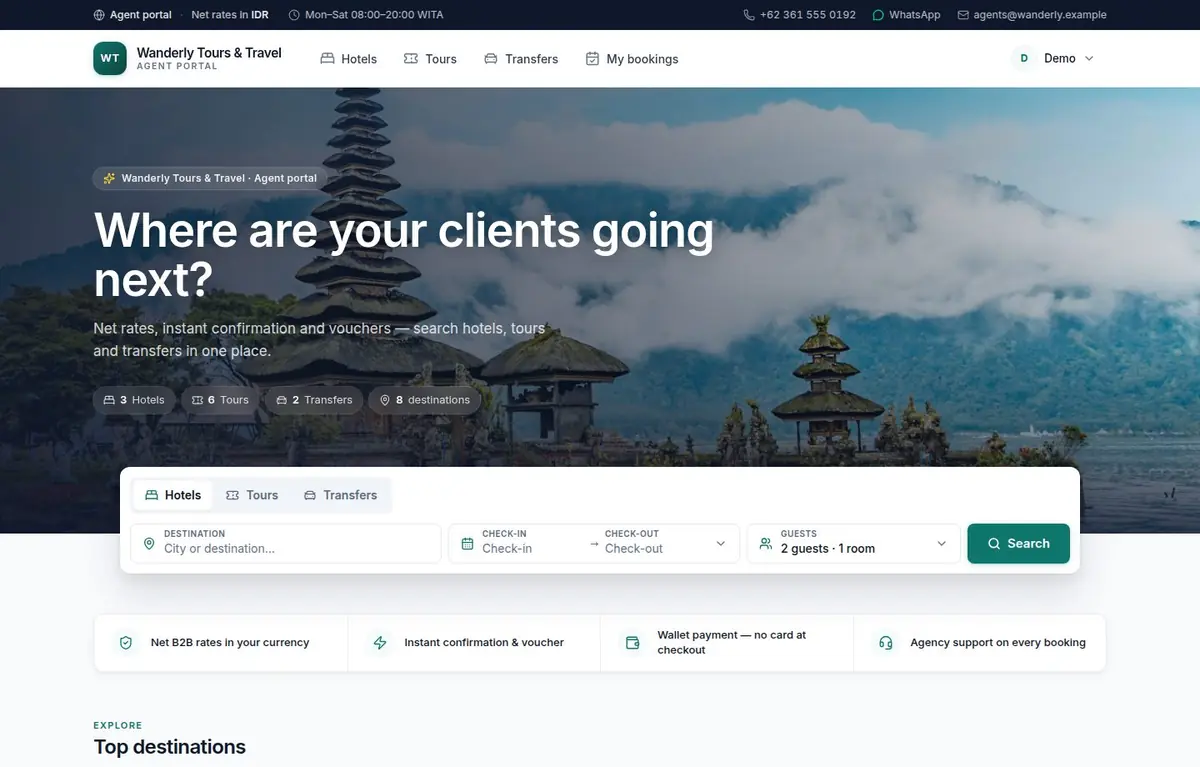
Your agents sign in and land on something that looks like the consumer sites they already use — a photo hero with your tagline over it, a search widget for the modules you sell, your destinations and your featured products. The wallet balance sits in the corner, in your currency.
- Your logo, your colours, your hero photograph, your tagline
- Only the modules you sell — hotels, tours, transfers
- Destination search across 34,000 real cities
- Every price in your wallet currency
Finding something
Results an agent can actually filter
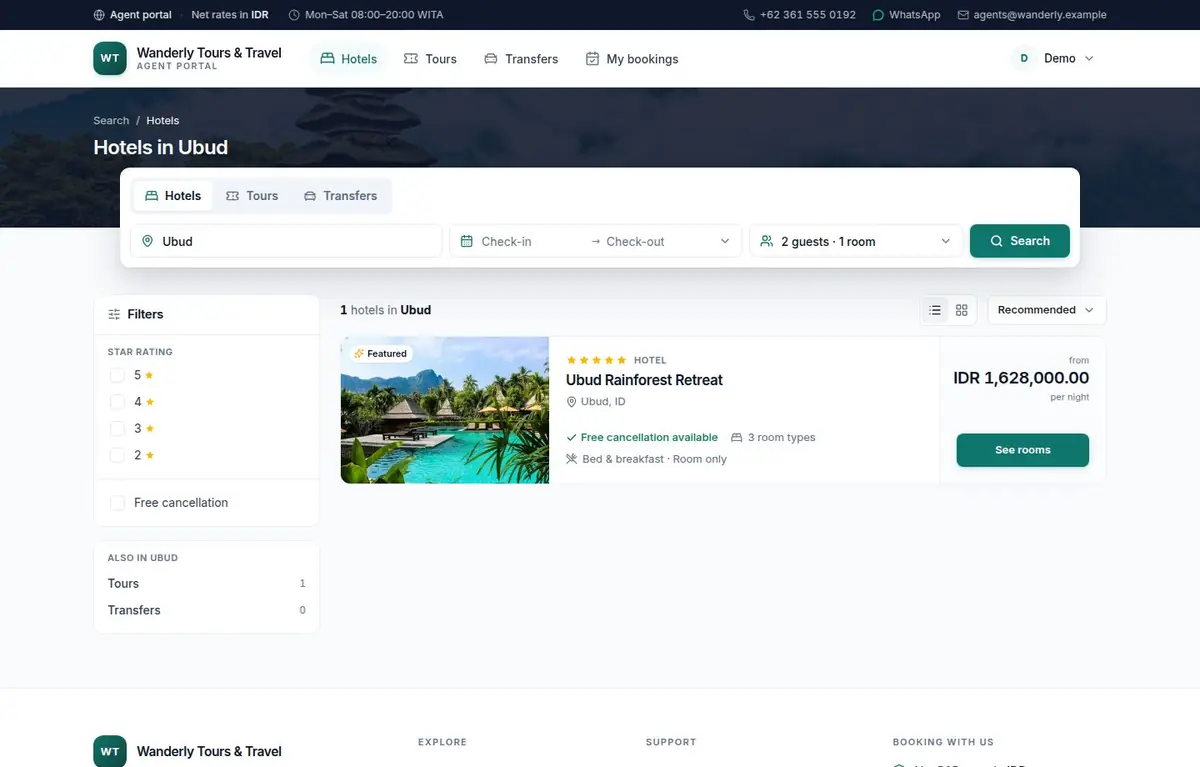
Price band in your currency, star rating, sort, counts across the other modules — and the filters round-trip through the URL, so an agent can send a colleague a link to exactly what they were looking at.
- Filters in the URL, so a result set is shareable
- Photo cards with your own uploads
- Cross-module counts, so nothing is hidden
Choosing
The rules you set, enforced on the page
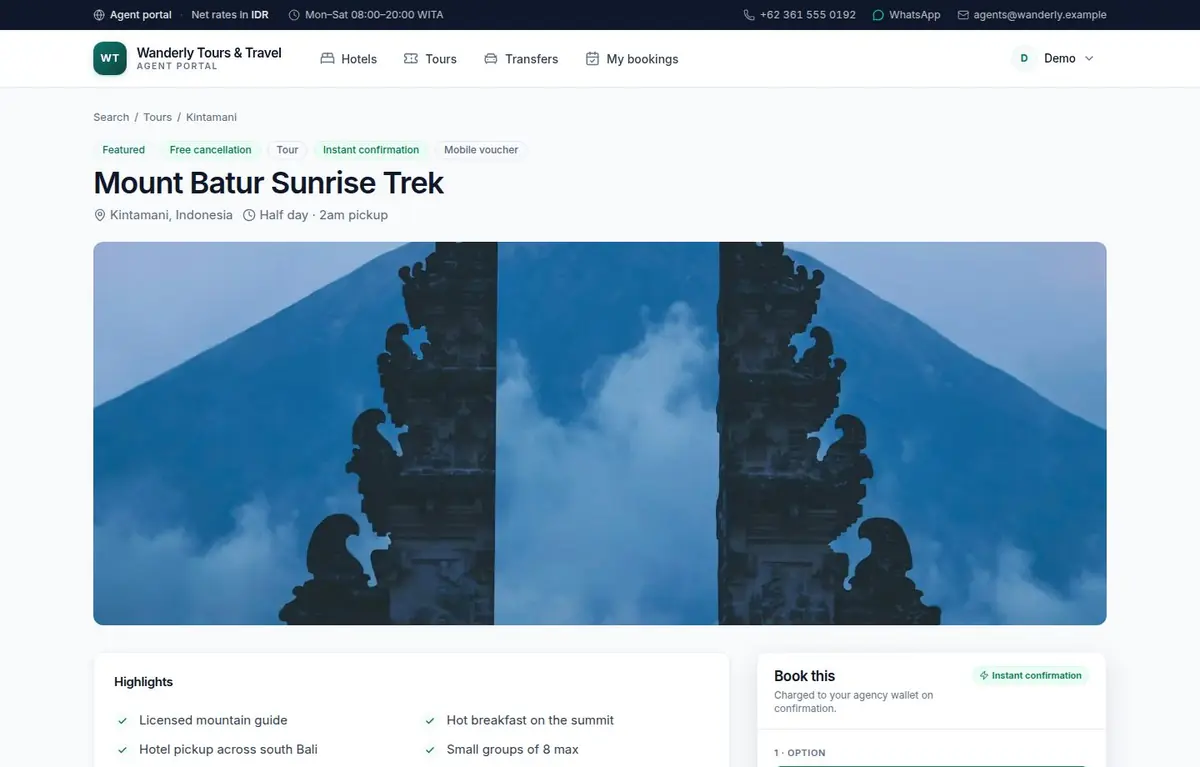
Options, dates, time slots, passengers by age band, add-ons and pickups — with a live quote from the same engine that will charge the booking. What the agent sees is what they pay; there is no second rate sheet to disagree with.
- A live quote from the engine that charges it
- Capacity, operating days and cut-offs enforced, not described
- Cancellation policy shown before the booking, not after
Booking
A checkout that finishes without you
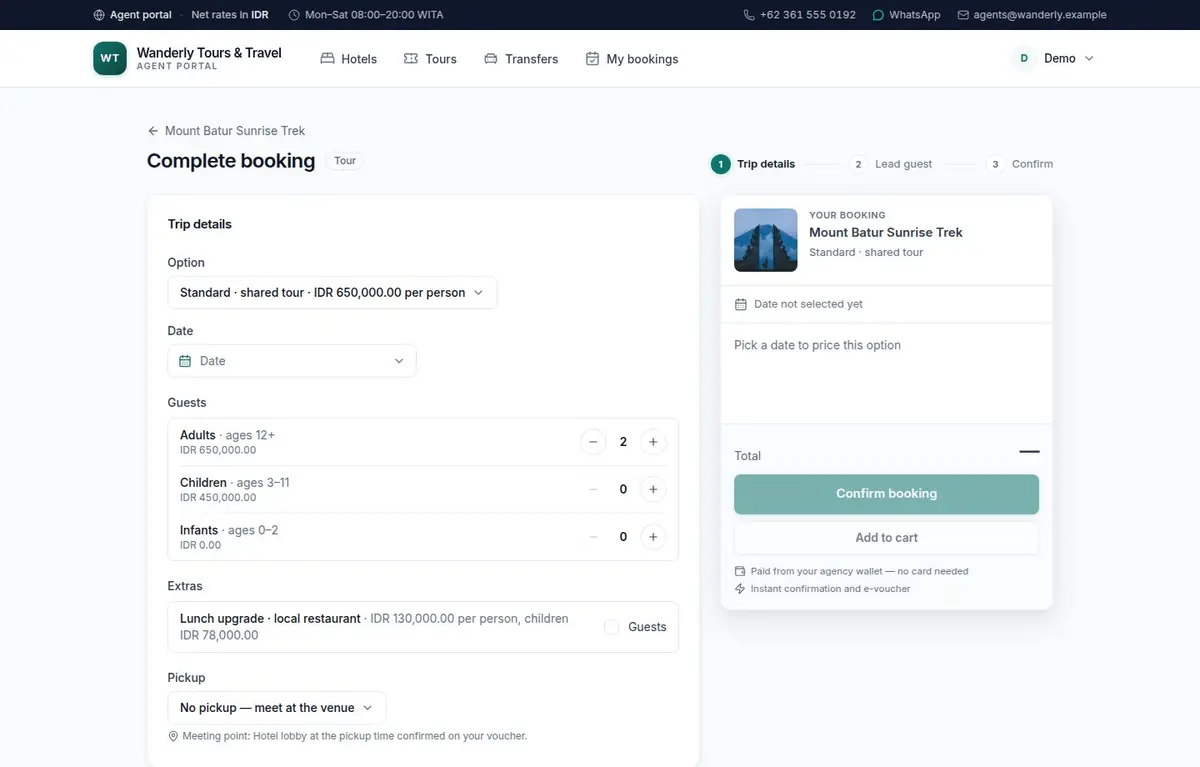
Trip details, lead guest, confirm — with a sticky summary that adds up as the agent works. Availability is consumed and the wallet is debited in the same transaction, and the voucher exists before the page has finished reloading.
- Three steps, a running total, no surprises at the end
- Wallet payment — no card, no gateway in the way
- A branded voucher, immediately
Afterwards
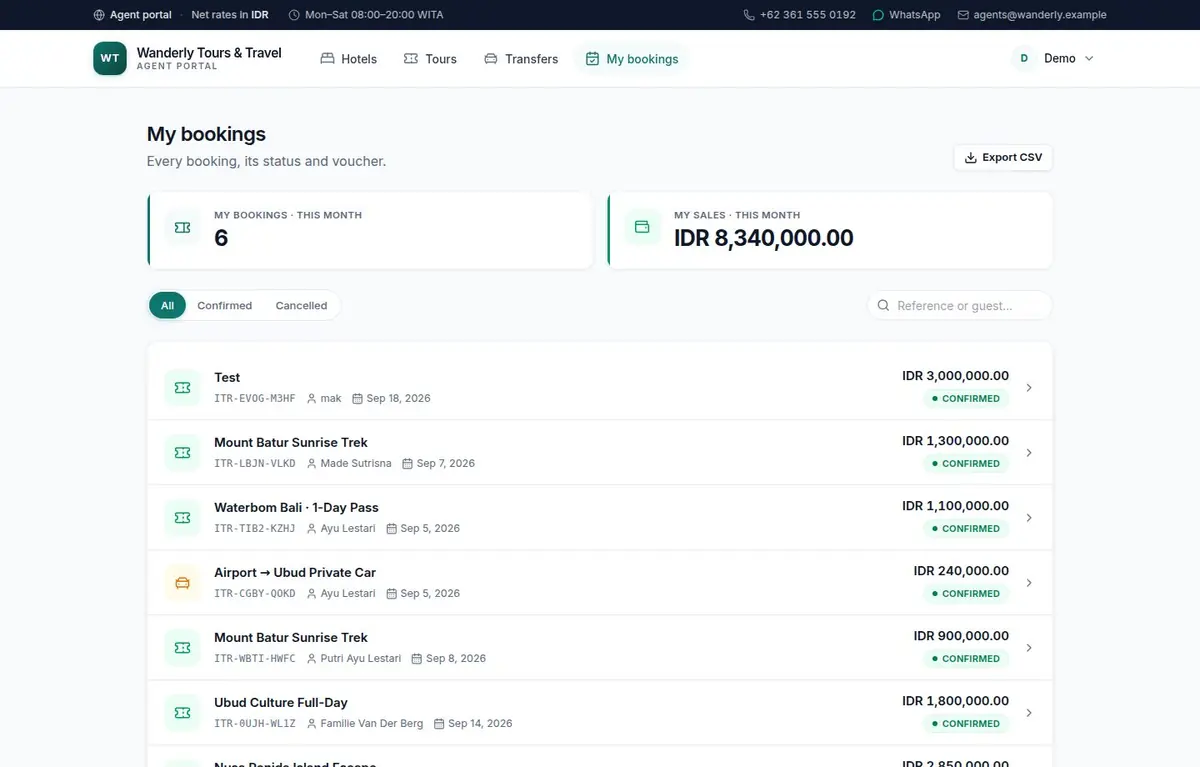
Every booking, with the paperwork attached
The agent gets their own list with month statistics, search and filters, and a voucher-style detail page carrying your logo, your licence number and your support line — which is what they forward to their client.
- Reference, guest, travel date, status, at a glance
- Printable voucher in your brand
- Cancellation with the policy that applied at booking
Your side
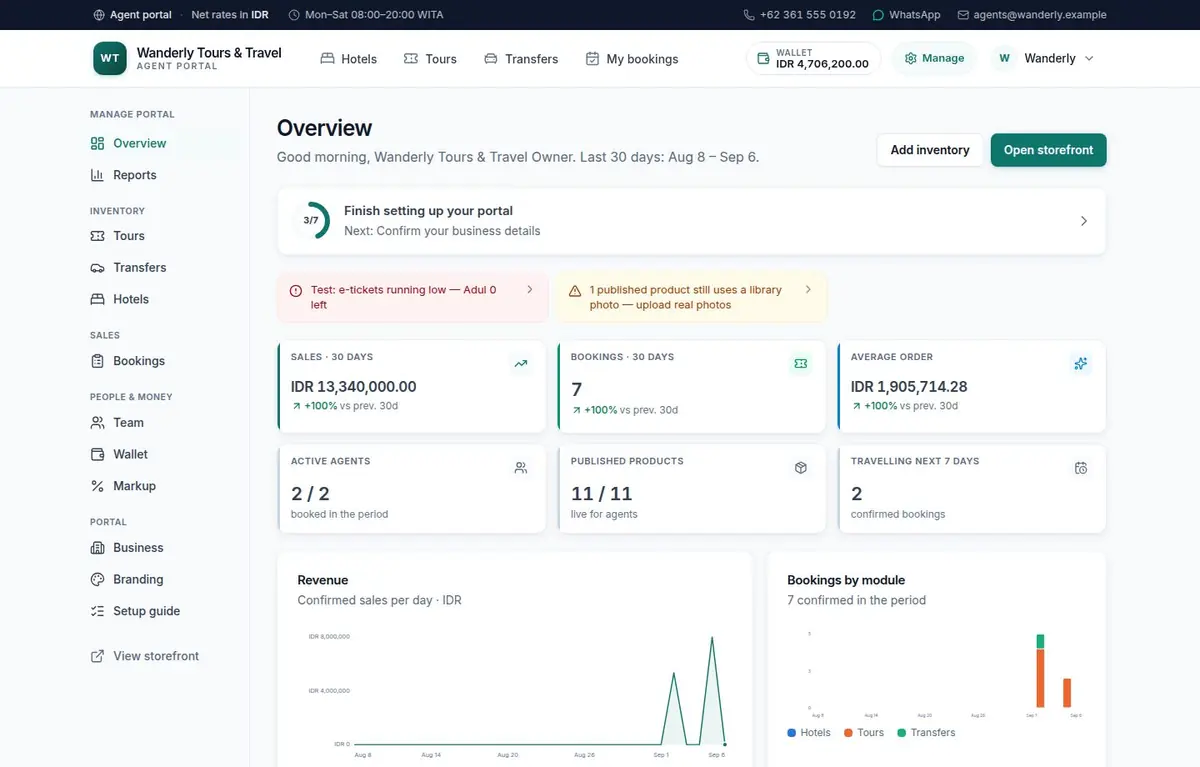
A back office, not a settings page
Six figures against the previous thirty days, a revenue line, bookings by module, your top products, your agent leaderboard, wallet runway — and an alert list of the things actually stopping a sale: products without photos, hotels without rooms, closures, drafts.
- Compared against the previous period, not shown in isolation
- Alerts that name what is blocking a sale
- Reports by agent, product, type and month, exportable
Operations
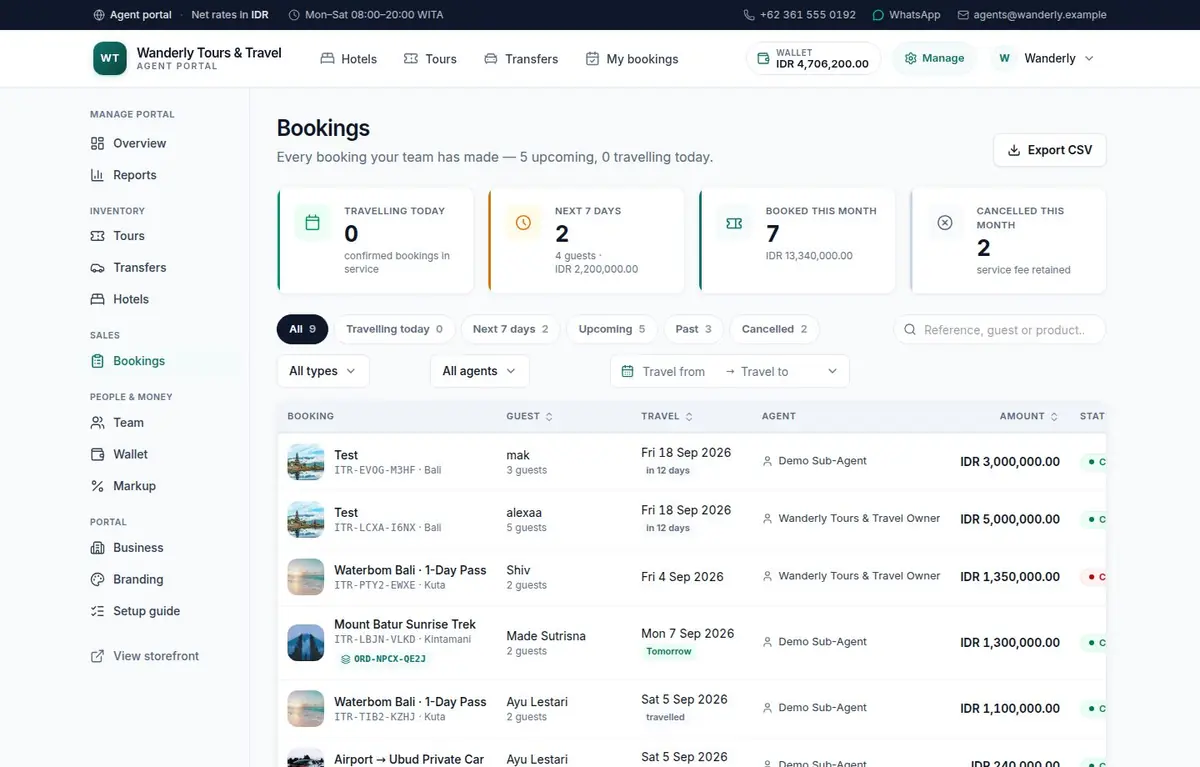
The desk your ops team works from
Every sub-agent’s bookings by departure — travelling today, next seven days, upcoming, past, cancelled — with search, filters, a filtered CSV export, an event trail on every booking and internal notes your agents never see.
- Departure views, because that is how ops actually works
- An append-only trail of who did what, and when
- Internal notes, visible to managers only
Your contracts
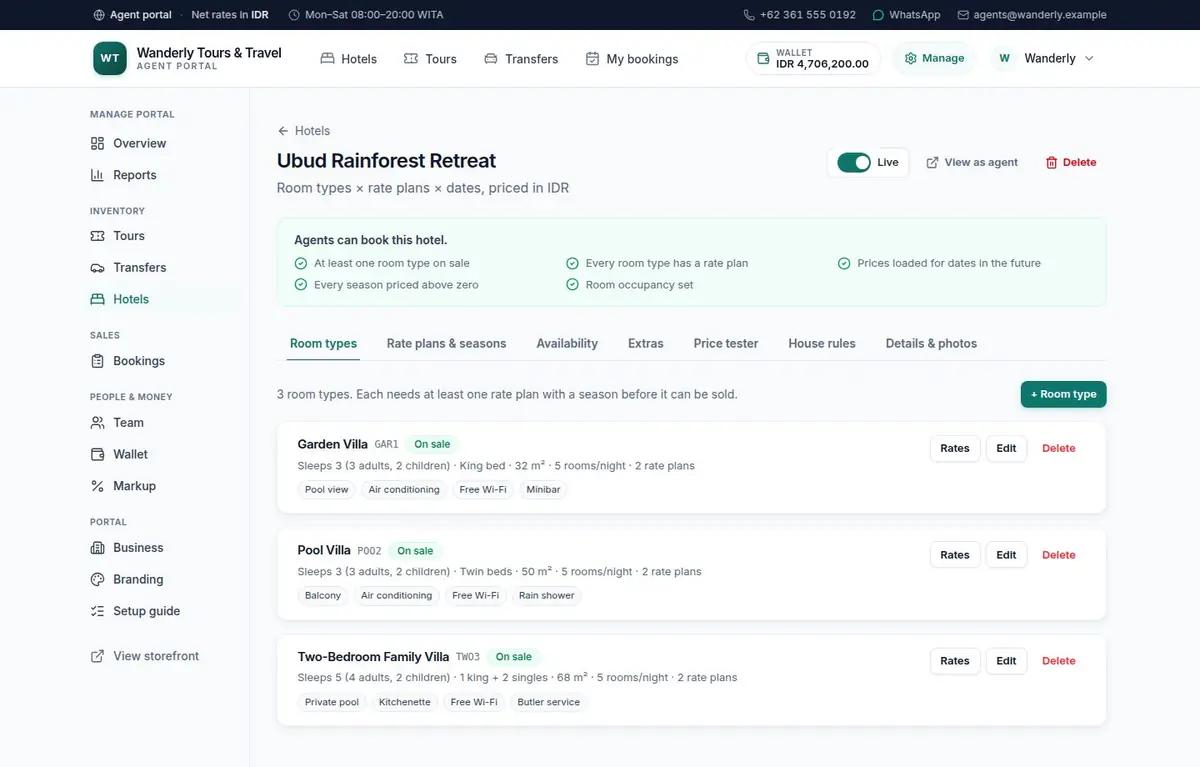
Contracts in the shape they were written
Room types, rate plans and seasons with per-occupancy prices and the contracted cost beside every one; availability per night with allotment and stop-sell; supplements priced the way the contract prices them. And a tester that quotes a real stay before anything goes live.
- Cost next to price, so a losing rate is never typed
- Allotment consumed under lock at the moment of booking
- Publishing refused until the engine could quote it
Making it yours
The whole look, from one screen
Twelve curated palettes or your own hex, with a live preview of real components as you change it. Your logo, your hero photograph, your tagline, your contact block — and ten portal templates named for the kind of travel business that buys them.
- Live preview, not a save-and-hope
- Ten templates, each changing what a buyer reads first
- Contact block flows into the header, footer and vouchers
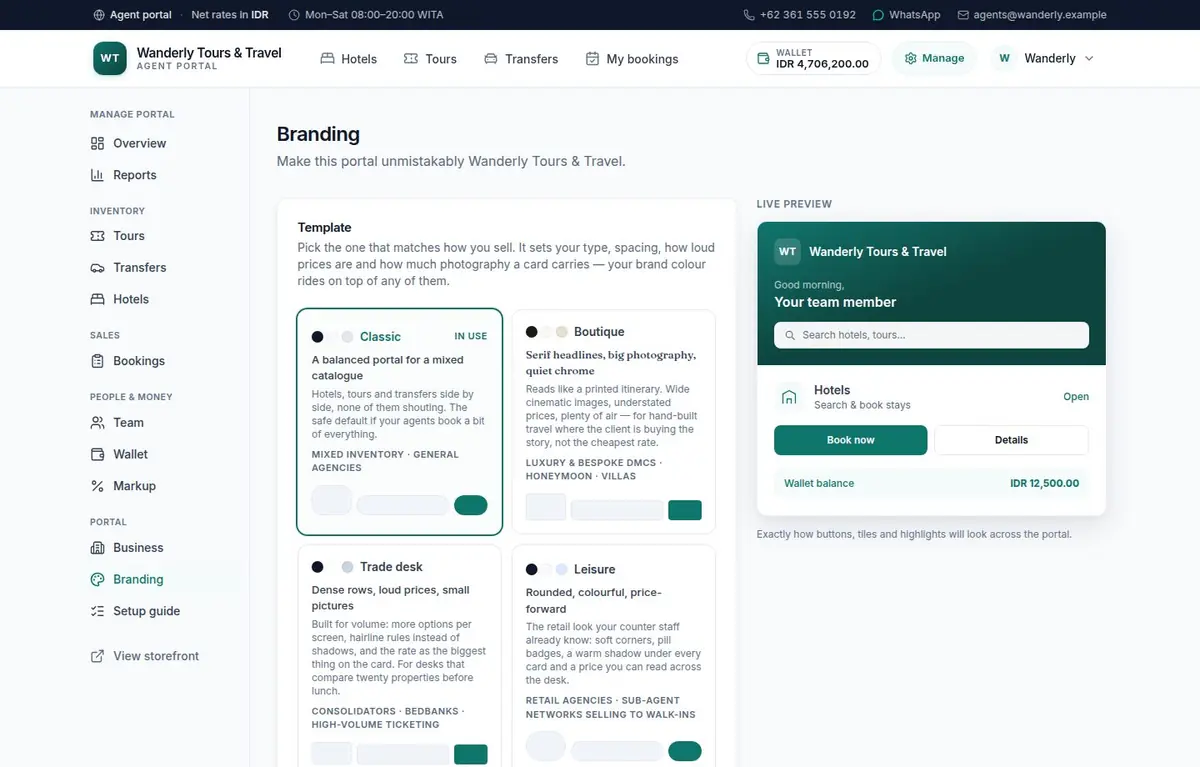
The portal above belongs to a demonstration agency we run on the live platform, so every screen is the real product rather than a drawing of it. Yours would carry your brand, your inventory and your currency instead.
Now see it with your own brand on it
We open a portal for your agency — your logo, your colours, your currency — load a product with you, and walk you through the same screens.
Request your portal